Skip to content

Draw your story as manga, on your Mac.

Paste a story. Qwen-Image draws the panels on your Mac, you letter and export. Nothing leaves the machine.

Version 0.2.0 · Apple Silicon · macOS 14+ · All releases

QWEN-IMAGE 2.1

One paragraph in, three pages out

Ten panels, drawn by Qwen-Image on a 24 GB MacBook and driven by Claude Code over MCP. Every bubble is vector lettering placed on top of the art.

“A dad plays with his little girl, squeezing her cheeks. His wife watches, pouting. He sends the girl to pick some candy and asks his wife what's up. She asks him to squeeze her cheeks too. He does, embarrassed, and the girl comes back and giggles.”
The whole brief.
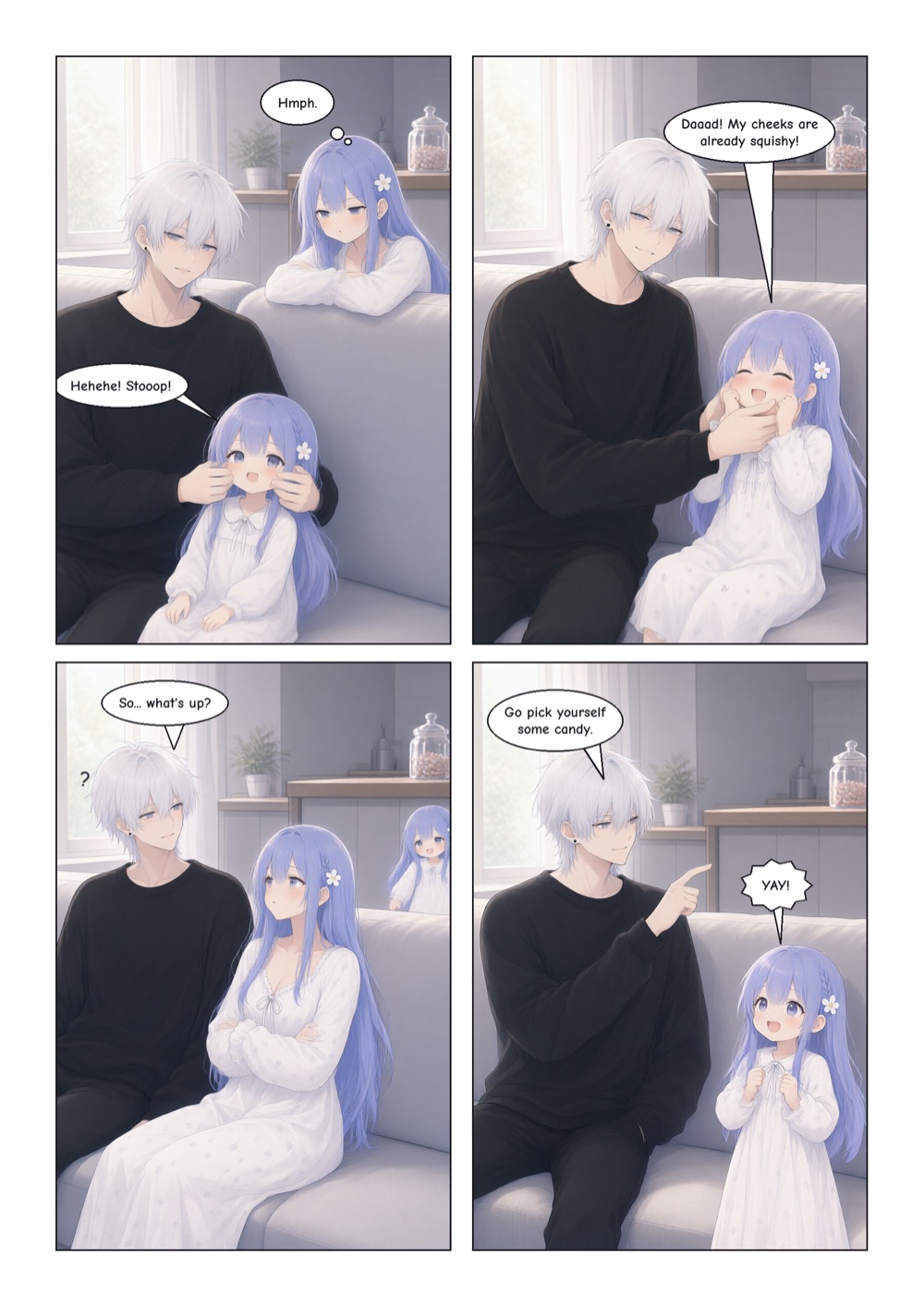
  1. Page 1. A father squeezes his little daughter's cheeks while she laughs. His wife watches with a pout. He sends the daughter off to pick some candy and asks his wife what's up.

    Page 1

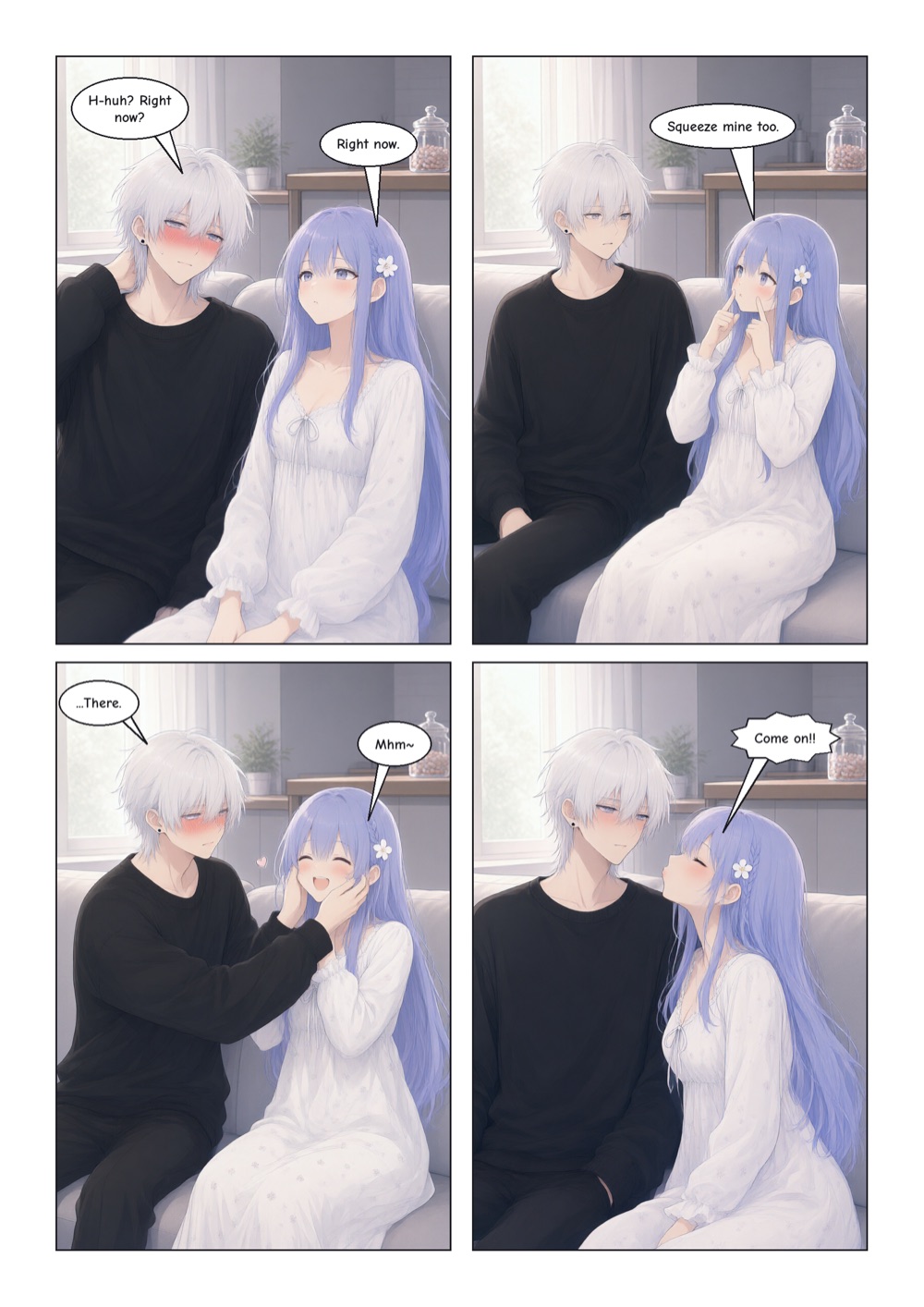
  2. Page 2. The wife asks him to squeeze her cheeks too. He blushes, she insists, and he squeezes them, embarrassed, while she smiles.

    Page 2

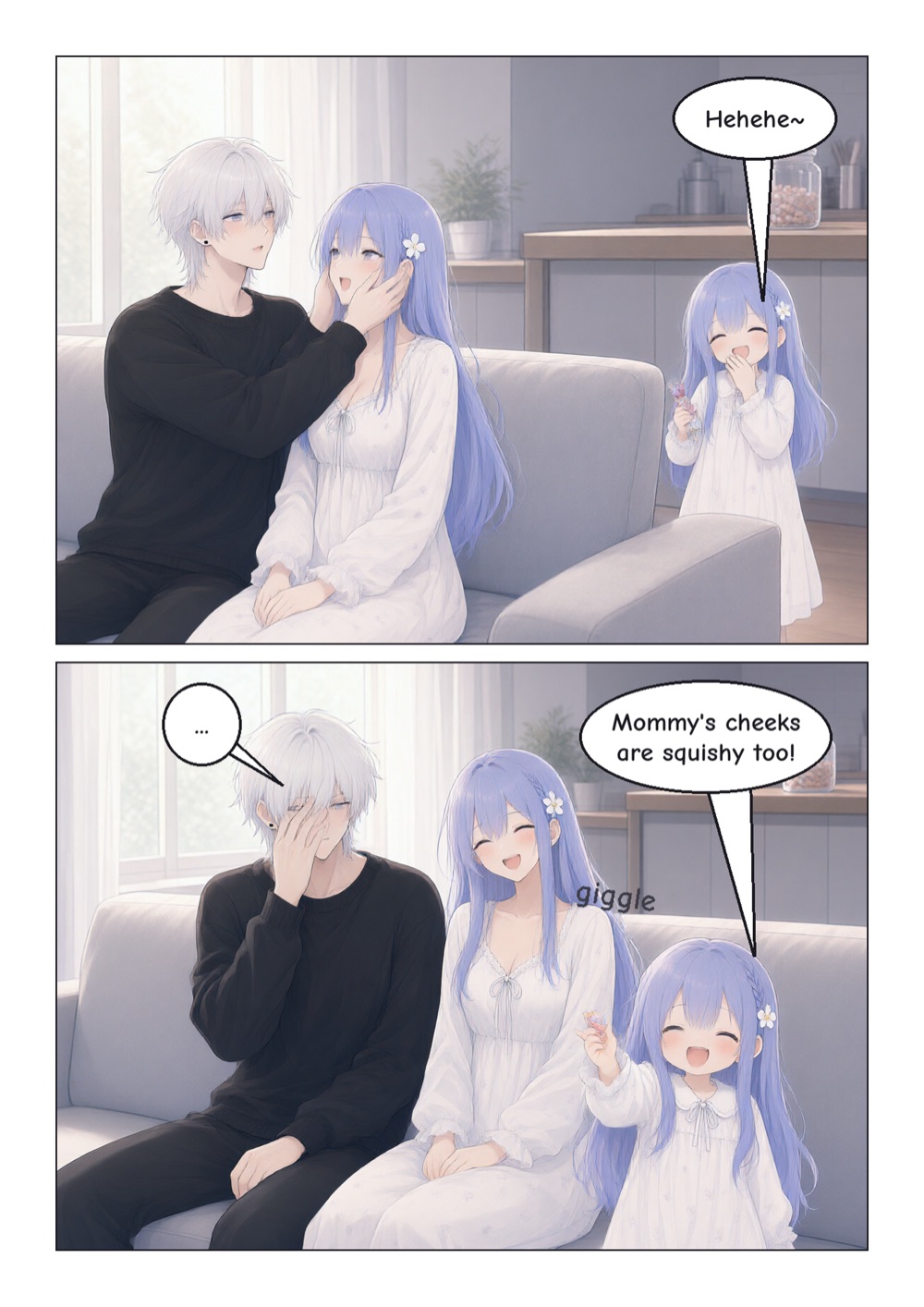
  3. Page 3. The daughter comes back with candy, sees them and giggles: "Mommy's cheeks are squishy too!" while the father hides his face.

    Page 3

Panels read right to left, like a printed manga.

And as a short video

studio video turns the lettered panels into a vertical mp4 with slow zooms and crossfades, with a song of your choice under it.

$ uv run studio video cheek-squish --audio song.m4a

Two ways to make a story

Draw it panel by panel, or hand over a chapter and fix what you want after. Both write the same project files.

Studio

Lay out pages by hand. Every panel has layers, and lettering stays vector, so editing a line of dialogue never touches the art.

  • Manga grids read right to left or left to right, with diagonal gutters, or a vertical webtoon scroll.
  • Panel layers: background, character, screentone and FX, and an SVG lettering layer.
  • Speech, shout, thought and caption bubbles, with horizontal or vertical text.
  • A cast studio that keeps each face, outfit, palette, reference sheet and seed.
  • An in-panel copilot for text to image, image to image and inpainting.

Pipeline

Paste a chapter. Six stages turn it into lettered pages, and a coverage map makes sure no beat of the source is skipped.

  1. Analysis
  2. Script
  3. Layout
  4. Artwork
  5. Lettering
  6. QA
  • Bubbles are placed in quiet areas of each panel, away from faces.
  • QA retries a panel up to 3 times, then flags it for you to fix.
  • Language stages run on your agent, a local Ollama model, or a heuristic with no LLM.
  • The finished pages open in Studio.

Read it, then print it

Reader
Page through right to left or left to right, or scroll a webtoon top to bottom.
Print PDF
B5 or A5 with bleed and margins, or a digital PDF.
Layered SVG
One file per page: raster panels under vector lettering you can still edit.
PNG and video
PNG pages or webtoon slices, and an mp4 of the panels with slow zooms and crossfades.

Let your AI hold the pen

Claude Code, Codex or any MCP client drives the studio through 26 tools: it writes prompts, draws panels, reads your notes and runs pipeline stages. You pick and star in the app.

“make the character sheet for cheek-squish, 4 seeds”
An example request from the README.
# or press Connect in the app$ claude mcp add --scope user manga-studio -- manga-studio-mcp
$ codex mcp add manga-studio -- manga-studio-mcp

No agent? A local Ollama model can run the language stages instead.

Runs on the Mac in front of you

Qwen-Image 2.1 draws every panel locally through mflux and MLX, kept loaded between jobs. No account and no upload.

Apple Silicon
An M-series Mac on macOS 14 or later. MLX runs the model on the GPU and unified memory.
24 GB memory
Recommended. It runs Turbo at 4-bit; with less, use smaller panels.
About 32 GB disk
For Qwen-Image 2.1 Turbo, downloaded once from Hugging Face.
Your files, your Mac
Stories, references and every generated version stay in the project folder.

Get started

The first launch checks the Mac, downloads the model if it isn't cached (about 32 GB, once), connects an AI and creates a first project.

Download the app

Signed and notarized by Apple. Open the DMG and drag Manga Studio to Applications. Its image engine runs on uv, so install that first.

$ curl -LsSf https://astral.sh/uv/install.sh | sh
Download for Mac

Version 0.2.0 · Apple Silicon · macOS 14+ · All releases

Or build it from source

From a clone of the repo, with uv and pnpm. The app sets up its image engine on first launch.

$ uv sync$ cd app && pnpm install$ pnpm tauri dev

Connect an agent

Then ask it to run the pipeline for your story, or to draw a character sheet.

$ claude mcp add --scope user manga-studio -- manga-studio-mcp